
Gemini AI On-Ramp, Part 2
Compass McLean
Nov 10, 2026
Compass McLean
Nov 10, 2026
Prompts from our McLean class
Every prompt and every step from our class, ready to use on your own listings.

Don Gray
FollowDon AI Consulting
Class code TTFKGD
Every prompt and every step from our class, ready to use on your own listings.
Don Gray
FollowDon AI Consulting
Class code TTFKGD
Before you start
These are the prompts and steps from our class on November 10, the same ones we ran together in the room.
You don’t have to go in order. Start with whichever one you’ll actually use this week, and if something comes out weird, just try it again. That’s how we did it in class.
You don’t need to remember how we did any of it, because every step is written down here.
Contents
Section 01
You only need two apps for everything in here. Point your phone’s camera at the code for your phone, or tap the button.
Sign in with your Compass email and it’s free.


Section 01 · The apps, continued
This used to be called NotebookLM. You’ll use it in section 06.


Section 01 · The apps, continued

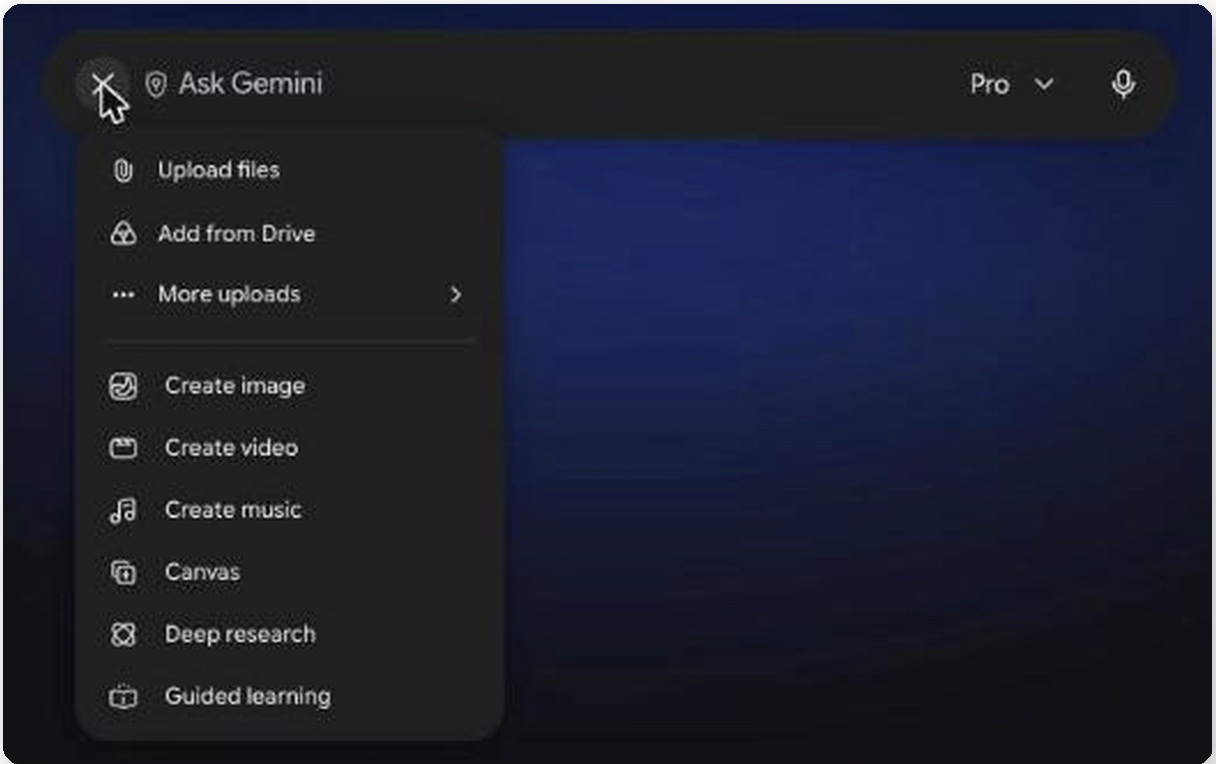
Section 02 · Gemini
Turn an empty room photo into a furnished one, without moving a single wall or window.
Section 02 · Stage an empty room
> Virtually stage this room by decluttering and adding furniture only. Keep the existing doors, windows, structural walls, and flooring exactly as they appear in the original image—do not change their size, shape, or location. Match the existing lighting, but make it look like it was captured with a professional camera.

Section 02 · Stage an empty room
Section 03 · Gemini
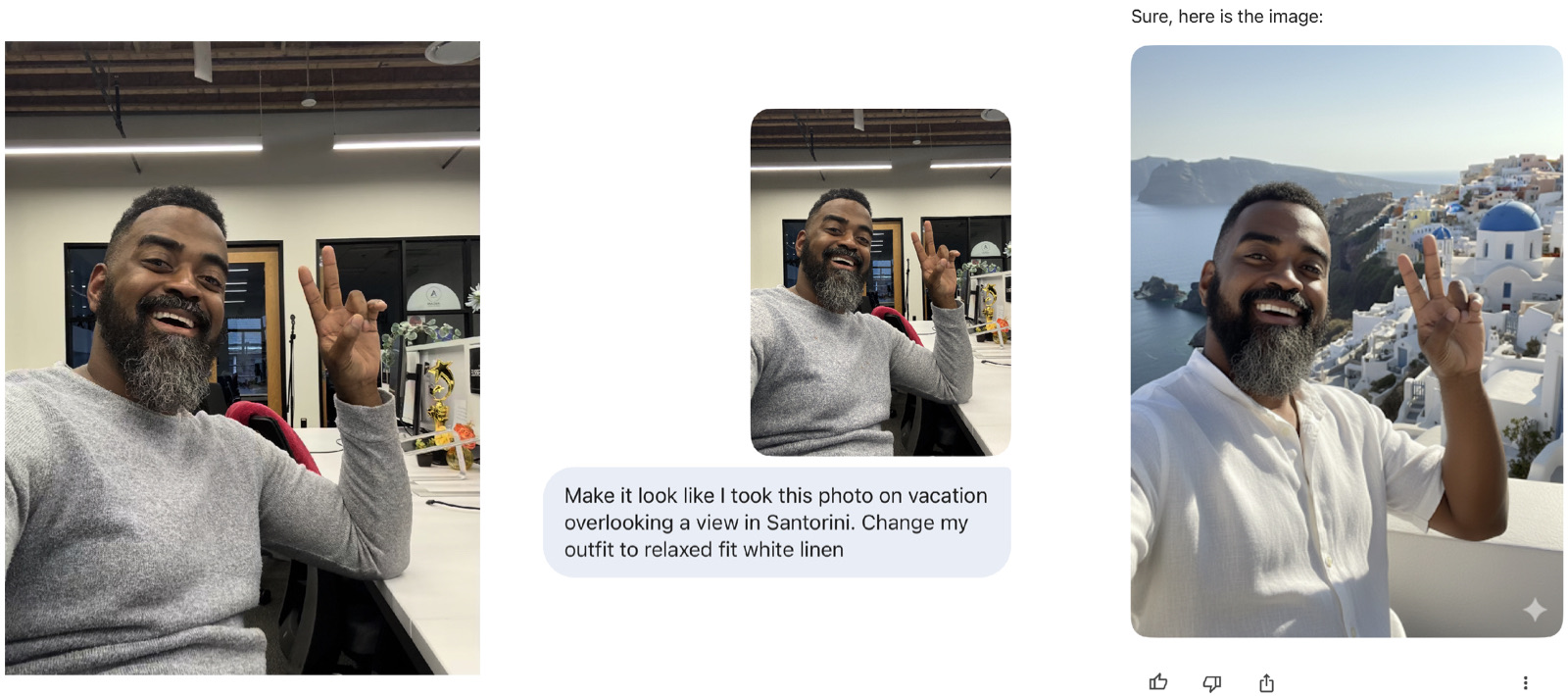
Nobody can scroll past a vacation photo without saying something. Every reply is an easy reason to pick up the phone.
Section 03 · Go on “vacation”
> Make it look like I took this photo on vacation [overlooking a view in Santorini]. Change my outfit to a [relaxed-fit white linen].
Section 03 · Go on “vacation”
Section 04 · Gemini
Gemini writes a 30-second original song for your listing reel, so you don’t have to dig through stock music or worry about licensing.
Section 04 · Make a listing song
> Compose a [genre] song for a 30-second social media reel about a [home type] for sale in [neighborhood and city].

Mood: [mood]. Vocals: [vocal style].

Work in these highlights: [3 to 5 best features].

Build the chorus around [the number one feature or view] and end on the line "[closing hook]".

Keep the lyrics about the home, its features, and the place only.
Section 04 · Make a listing song
Section 05 · Gemini
In this one you step out of the front door and invite people in. It takes two prompts, one to lock in how you look and one to make the video.
Section 05 · Open house video
> Create a photorealistic character sheet for this person. Show them full-body from the front, side, and back, plus close-ups of their face from a few angles, on a plain white background. Keep their face, hair, and outfit exactly the same in every view.
Section 05 · Open house video
> The person in the character sheet steps out of the front door of this home and says: "[your open house invitation, e.g. You won't want to miss the open house at this McLean home. Stop by Saturday from 1 to 4.]" Keep the person and the home looking exactly the same throughout the video. Start close on the door, then slowly pull back to reveal the full home.
Section 06 · Gemini Notebook
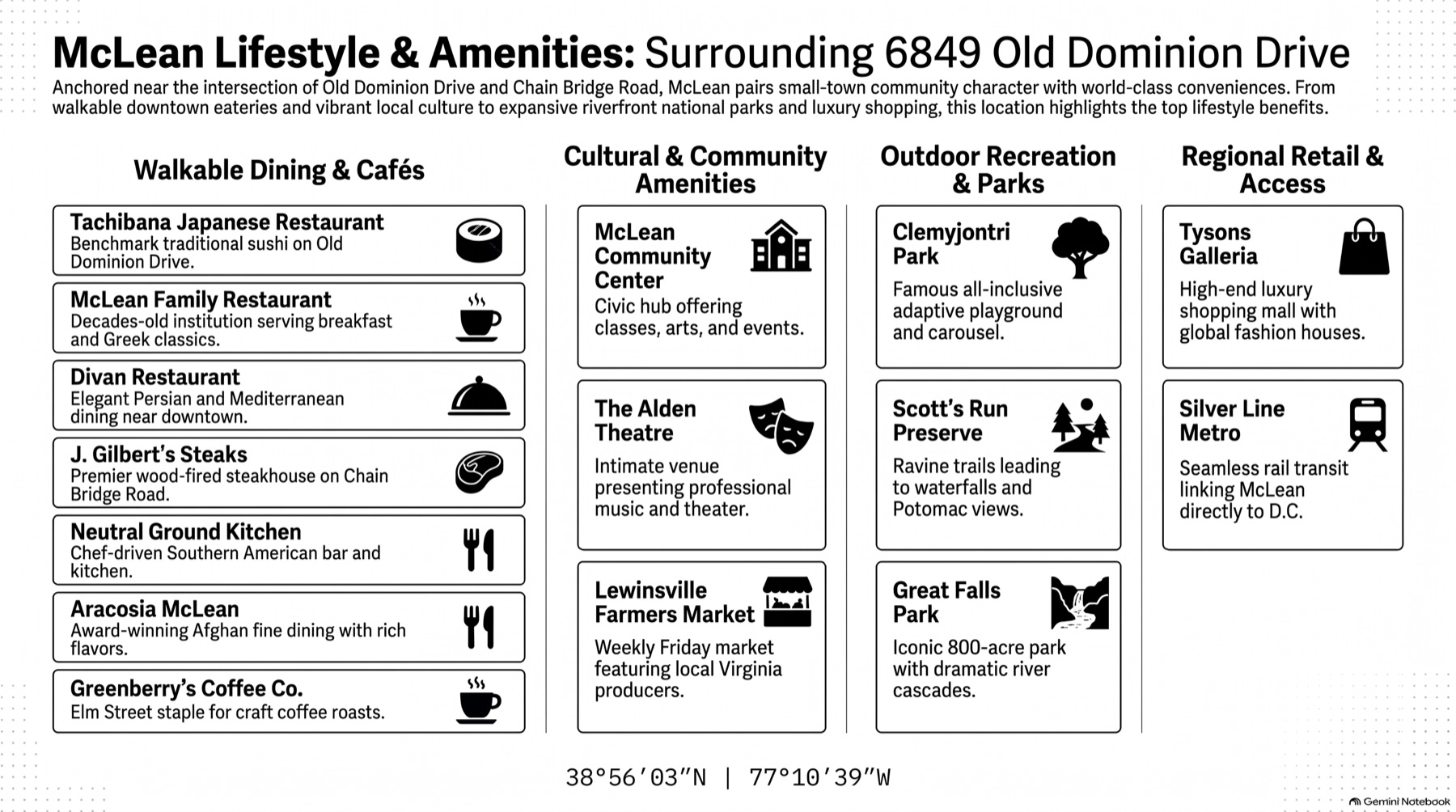
Gemini Notebook (it used to be NotebookLM) finds sources on a neighborhood, then turns what it found into a one-page infographic in Compass style.
Section 06 · Neighborhood guide
> I'm looking for information about the neighborhood near the Compass office at 6849 Old Dominion Drive in McLean, Virginia, including parks, dining, shopping, and things to do that would be interesting to a buyer, without getting into any fair-housing-sensitive topics.

Section 06 · Neighborhood guide
> Create an infographic of places near the Compass office at 6849 Old Dominion Drive in McLean, Virginia that would be interesting to a buyer considering purchasing or investing in that neighborhood. Apply the Compass Design Standard from the Designing for Agents guide in your sources. Avoid being too text-heavy. Avoid overusing the dot pattern.
Section 06 · The result
Section 07 · Compass
You connect your email and calendar one time, and after that it can brief you every morning.
Section 07 · Compass AI Assistant
Keep these


Section 08 · Next step
Your morning briefing prompt works when you sit down and ask for it. If you want help that starts before you do, I’ll set up an AI assistant in your own accounts. It reads your email, drafts the follow-ups that pile up and has your morning ready when you wake up. You can text it, or call it from the car.
We build it together, and you leave with it working. Every setup comes with 30 days of questions, and I answer within 1 business day.
For people who came to class
Use promo code MCLEAN for $200 off either setup. It’s good through the end of the day on Wednesday, November 25.
Section 08 · Your AI assistant
Section 08 · Your AI assistant
Section 08 · Your AI assistant
See you at the next one.
followdon.com

